Use case: missing candidate details
Stop chasing candidates for salary and start date
The CV is good, but there's no salary, no start date and no English level. Neither emails the candidate for just those, reads the reply and fills in the profile.
The problem
Before you can send a candidate to a client, you need the same few answers every time. You write the email, wait, forget to follow up, then copy the answers into the card by hand.
How it works in Neither
- List the details you need for a vacancy, such as salary expectations, start date or English level.
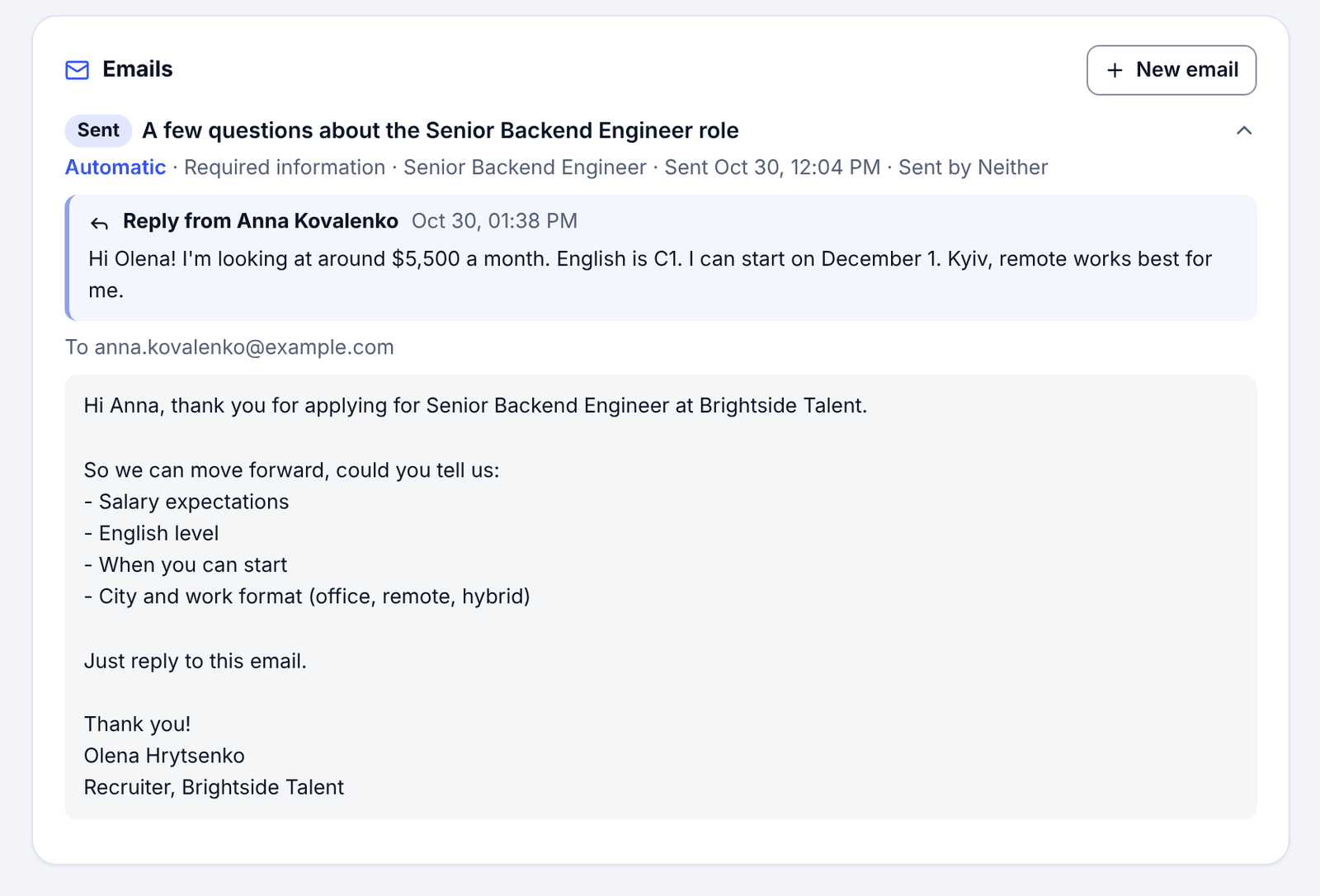
- When someone is added, Neither checks what their CV and profile already answer and sends one short email asking only for the rest, in Ukrainian or English.
- The candidate replies to the email, and the answers fill in the profile.
- If something is still missing, Neither asks again only for that, on the reminders you set in Hiring setup.
What stays with you
- What you ask for, and what you do with the answers.
- Whether a vacancy asks at all: you can switch it off for any vacancy.
Good to know
- If everything on the list is already known, no email is sent.
- People you import from a spreadsheet are never emailed.
Questions
Will candidates get a stream of emails?
No. One short email asks only for what's missing, and a reminder asks again only for what is still missing.
Can I see what was sent?
Yes. The email and the reply are on the candidate's profile.
Try it on one vacancy
Free to start, no card. Sign up with Google and paste your first vacancy.
More ways Neither saves typing
Use cases
- Interview notes written from the call
- Every applicant scored against every open role
- CVs and documents become the profile
- Interview scorecard from a job description
- Interviews booked without the back-and-forth
For agencies choosing an ATS
- Spreadsheet or ATS for a small agency
- How to choose an ATS for a small agency
- Every step of hiring, and who does what
- What Neither does for recruiting agencies